
Every device.Every language.Every theme.One click.

AutoKap captures your app across every variant — so you ship marketing assets, not Figma files.

Create your free account
0+screenshots captured
0%capture accuracy

Free account, then npx autokap init. Works on any URL.

AutoKap Studio composition editor
autokap run
$ npx autokap run abc123-preset-id
Connected to AutoKap server
Browser launched (Chromium 131)
[1/4] Desktop / en / light ............ OK
[2/4] iPhone 16 / fr / dark ........... OK
[3/4] MacBook / fr / light ............ OK
[4/4] iPad / en / dark ................ OK
Done: 4/4 captures succeeded

You're still doing this manually?

Every release, same story.

6 devices x 3 languages x 2 themes = 36 screenshots

Every release. Every time. By hand. And that's before videos.

Stale assets everywhere

Your README still shows v1.2. Your App Store has last quarter's UI. Your docs screenshots don't match the product.

Figma for every mockup

Device frames, status bars, marketing compositions. You're a developer, not a graphic designer.

How it works

Three steps. From sign-up to every screenshot your app needs.

1

Set up

Create your account, then npx autokap init.

Sign up for free on autokap.app, create your CLI key, and run npx autokap init in your project. The CLI authenticates once and installs the AI skill into your code assistant — Claude Code, Cursor, Copilot, or Windsurf.

Terminal
$ npx autokap init
Enter your AutoKap CLI key: ak_cli_••••••
Validating CLI key...
Authenticated. Key stored.
Detected agent: claude
Skill installed to: .claude/commands/
Setup complete!
2

Prompt

One prompt. Everything happens.

Ask your AI assistant to set up AutoKap. Auto-implementation mode kicks in: it reads your codebase, creates the preset, runs the capture, grabs integration links, and embeds screenshots into your app — all in one agentic loop.

Claude Code
User: Set up AutoKap for my app.
Assistant: Using AutoKap skill.
> Analyzing codebase...
> Creating preset...
> Running capture (8 variants)...
> Embedding Dev Links in docs...
Done. Screenshots live in your README.
3

Ship

Get marketing-ready assets.

Screenshots land in your gallery with device mockups, auto-generated alt text, and permanent URLs. Compose marketing images in Studio. Embed anywhere with Dev Links.

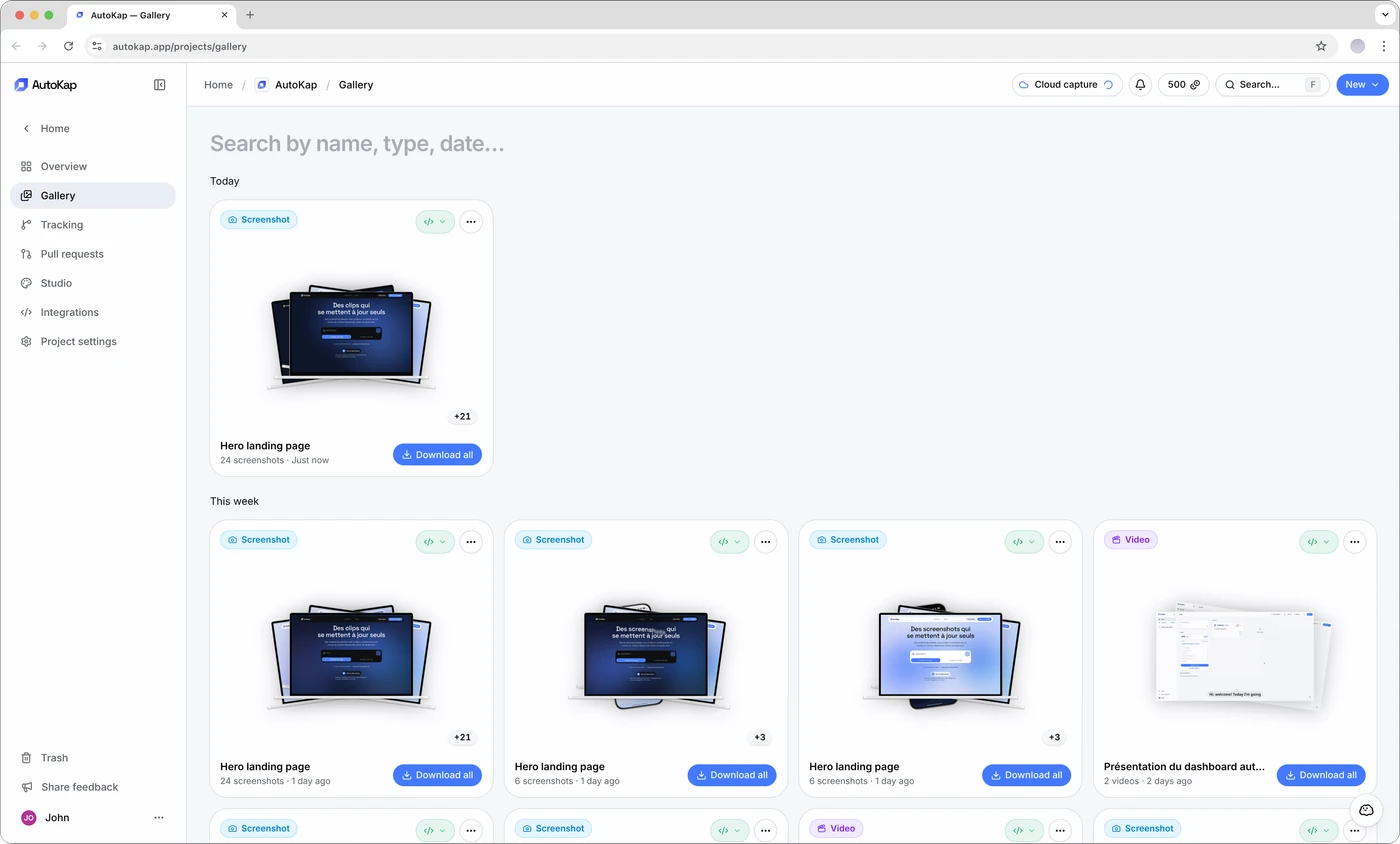
AutoKap Gallery
Interactive demos

Let visitors click through your product.

Capture your app's DOM and generate an interactive demo your prospects can explore — no backend, no staging server. Embed anywhere with a single line of code. Every click, every state view is tracked: get click heatmaps, top-clicked elements, session counts, and per-state engagement — all cookie-free.

No backend neededEmbed anywhereClick heatmapsSession & engagement KPIsMulti-language & theme
Device mockups

Pixel-perfect frames for every device.

iPhone, iPad, MacBook — automatic device frames with status bars, safe areas, and realistic details. One screenshot, every frame. No design tool needed.

AutoKap mockup - macbook
Dev Links

Permanent URLs. Always fresh.

Embed a single URL in your README, docs, or landing page. The image updates automatically on every capture run — the URL never changes.

README.md

<!-- Always shows the latest screenshot -->

<img

src="/api/v1/assets/1f6938c81d11239a3ee8ee4c7369?lang=en&theme=light&w=800"

alt="Dashboard screenshot"

/>

Toggle theme or language above — the URL updates, the image follows.

Live from AutoKap
Live preview from Dev Link
Under the hood

Deterministic captures. No flaky scripts.

AutoKap doesn't run Playwright scripts. It executes a typed sequence of opcodes — deterministic browser actions with postcondition checks at every step.

Every opcode has a postcondition that must pass before advancing
5-level recovery chain: retry, selector memory, alt interaction, reload, AI healer
Your AI assistant generates the program — you just run it

Recovery chain

retry
selector_memory
alt_interaction
reload
llm_healer
execution-program.json
NAVIGATE
WAIT_FOR
CLICK
CAPTURE_SCREENSHOT

The complete asset pipeline.

From localhost capture to marketing-ready assets. Everything you need to ship.

CLI

Capture from your terminal.

npx autokap run — works on any local URL, any port. Captures run locally on your machine via Playwright. Add it to your CI/CD pipeline.

Terminal
$ npx autokap run my-preset
[1/8] Desktop / en / light ... OK
[2/8] iPhone / fr / dark .... OK
...
Done: 8/8 succeeded
Accessibility

Auto-generated alt text.

Every screenshot gets descriptive, context-aware alt text automatically. Accessibility without the extra work.

Generated alt text

“Dashboard showing revenue chart with $12.4k total, team activity sidebar, and navigation menu in dark mode”

AI Skill

Create your account, then npx autokap init.

Works with any AI code assistant. Auto-implementation mode creates the preset, runs the capture, and integrates the links — in one loop.

Claude CodeCursorCopilot
Visual diff

Spot every visual change.

Compare screenshots across runs with an interactive before/after slider. Catch regressions before your users do.

After
Before
LightDark

Everything else you'd want.

The features that round out the workflow.

Clips

Capture micro-interactions — hovers, clicks, form inputs. Short animated captures that show your UI in action.

Mock data injection

Empty test account? AutoKap injects mock data at capture time so your screenshots look real. Customize the data from your dashboard.

Auto alt text

Every screenshot gets descriptive, context-aware alt text generated automatically. Accessibility without the extra work.

Gallery

Every capture organized by run. Filter by device, language, or theme. Download individually or in bulk.

Multi-language

Capture every locale your app supports. AutoKap switches language automatically between variants.

Light & dark mode

Capture both themes in the same run. AutoKap toggles between light and dark for each variant.

Webhooks & API

Get notified when captures complete. Trigger captures programmatically. Integrate into your own tools.

Team collaboration

Invite members to your projects. Share presets, captures, and integrations across the team.

What teams are saying

We went from spending 2 hours per release on screenshots to under 5 minutes. The opcode system means our captures never break, even when the UI changes.

MD

Margaux Dupont

Head of Product

Auto-implementation mode is wild. I paste the prompt, my assistant builds the preset, runs the capture, and integrates the links into our docs. I didn't touch a thing.

TE

Tomas Eriksson

Senior Engineer

Dev Links changed how we handle documentation. Every screenshot in our README updates automatically — no more stale images after a redesign.

IA

Ines Almeida

Developer Relations

All features. Every plan.

No feature restrictions. You pay for volume, not capability. Start free, upgrade when you need more.

Free

Start building for free

€0forever
Get started
  • 15 credits / month
  • Up to 1 project
  • 2 presets per project
  • 7-day gallery retention
  • Community support
Best for solo devs

Maker

For indie developers and creators

€12/ month

Billed €144 / year

Get started
  • 300 credits / month
  • Up to 3 projects
  • 5 presets per project
  • 30-day gallery retention
  • Up to 2 parallel captures
  • Capture complete webhook
  • Email support (48h)

Team

For teams shipping at scale

€39/ month

Billed €468 / year

Get started
  • 1,200 credits / month
  • Unlimited projects
  • Unlimited presets
  • 90-day gallery retention
  • Up to 5 parallel captures
  • Up to 5 team members
  • Priority capture queue
  • Priority email support (24h)

1 screenshot = 1 credit · 1 clip = 1 credit · 1 video = 5 credits

Frequently asked questions

Your next release deserves fresh screenshots.

Free account. Set up in 5 minutes. 15 captures included.

Create your account